What this calculator does
A Roth IRA is funded with after-tax dollars. Qualified withdrawals are generally tax-free, which makes the future balance more valuable than a taxable account with the same return. This projection shows how contributions and compounding interact over a long horizon.
How to use it
- Enter current age and planned retirement age.
- Enter the current Roth balance.
- Enter the annual contribution and any annual increase.
- Set expected return and inflation.
- Review the projected balance, contributions, earnings, and real value.
How it works
Example calculations
Example: age 30 to 65
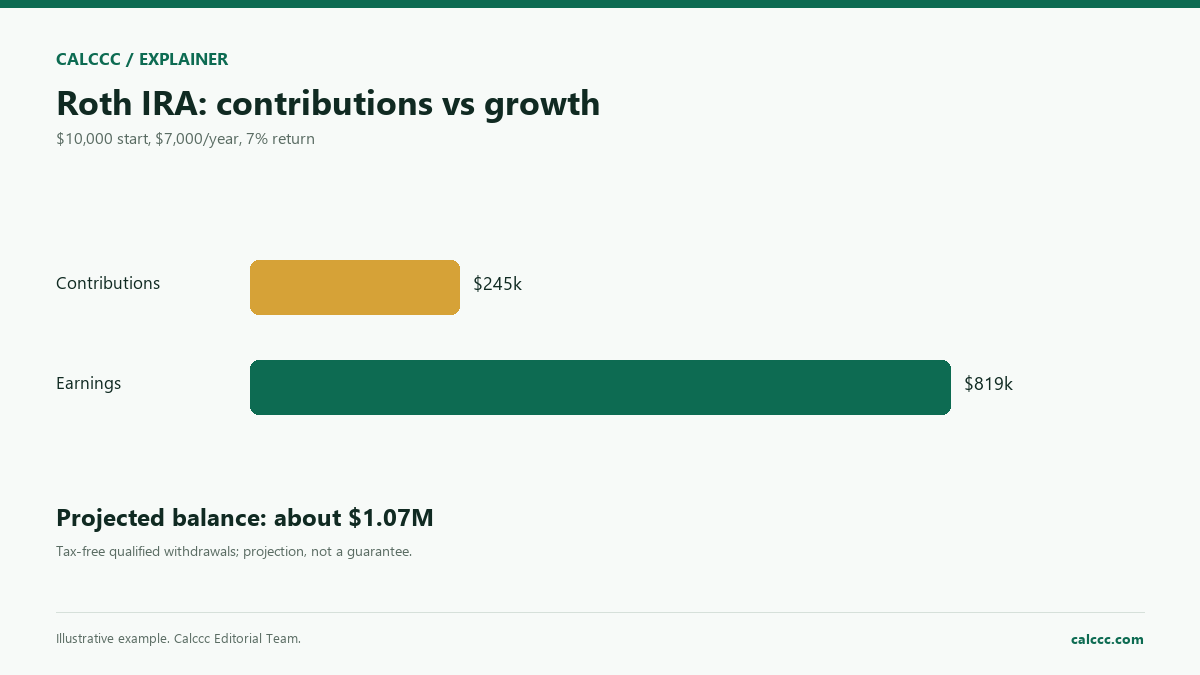
Starting with $10,000, contributing $7,000 a year, and earning 7%, the projection is about $1.07 million after 35 years, with about $245,000 of contributions and $819,000 of earnings.
Why starting early matters
The same annual contribution started 10 years later has fewer compounding years and a much smaller ending balance.
What the result means
The model assumes contributions at the end of each year. Real contribution limits, income limits, catch-up contributions, and fees can change the result. A Roth conversion or a taxable account is not modeled. Qualified withdrawals are generally tax-free, but rules and exceptions apply.
Common mistakes
- Ignoring annual contribution limits.
- Treating the projected balance as spendable in today's dollars.
- Assuming a constant return every year.
- Forgetting that Roth withdrawals must be qualified.
Assumptions and limits
- Contributions are made at the end of each year.
- The return is constant and compounded annually.
- Inflation reduces purchasing power.
- No fees, taxes, or penalty modeling.
- Contribution limits are not enforced.
Frequently asked questions
Is the Roth balance tax-free?
Qualified withdrawals are generally tax-free. Early or nonqualified withdrawals can trigger tax and a penalty.
What is the annual contribution limit?
The IRS sets it each year and may allow catch-up contributions for people 50 and older. Check the current limit.
Does this include employer matching?
No. Employers do not match Roth IRA contributions; that is a workplace plan feature.
Why show today's dollars?
A future balance buys less after inflation. The real value is easier to compare with today's spending.
Sources
2026 update
How to use the professional output
This page is not just a formula box. The result is designed to be checked, compared, and taken away.
- Professional worksheet. The result includes the inputs used, the method and scope, and a one-variable sensitivity check for finance calculators.
- A/B scenarios. Save two input sets in the browser and compare the primary, secondary, and breakdown figures side by side.
- Print / PDF and CSV. Print a branded worksheet, or export the year-by-year table when the calculator produces one.
- Quote differences. The section below explains why a bank, lender, broker, or provider can quote a different number.
- Retirement cash flow. The retirement calculator separates accumulation from the withdrawal phase and shows a year-by-year drawdown table.
The formulas and assumptions above still govern the number. The worksheet makes the estimate auditable; it does not make it a lender quote, tax return, or personalized advice.
Before you use a quote
Why your bank, lender, or provider’s number may differ
A provider’s projection can differ because fees, expense ratios, taxes, contribution timing, and market returns are not identical to the assumptions here.
What changes the quote
- Fees and expense ratios. A 1% fee can remove a meaningful share of long-term growth.
- Taxes. Account type, contributions, withdrawals, and capital gains treatment are not identical.
- Return path. A constant average return is not the same as a volatile sequence of returns.
- Contribution timing. Monthly, annual, and beginning-of-period contributions produce different balances.
How to compare offers
- Compare the APR and total cost, not only the monthly payment.
- Ask for a written quote or Loan Estimate with all fees itemized.
- Use the same loan amount, term, date, and assumptions for every offer.
- Check what is excluded: taxes, insurance, closing costs, maintenance, or provider fees.
- Keep an emergency reserve; the lowest payment is not always the safest choice.
Reference: CFPB Loan Estimate explainer.
Part of a decision center
Retirement & Investing Center
See the companion tools, decision guides, and patterns that go with this calculator.
Go deeper