What this calculator does
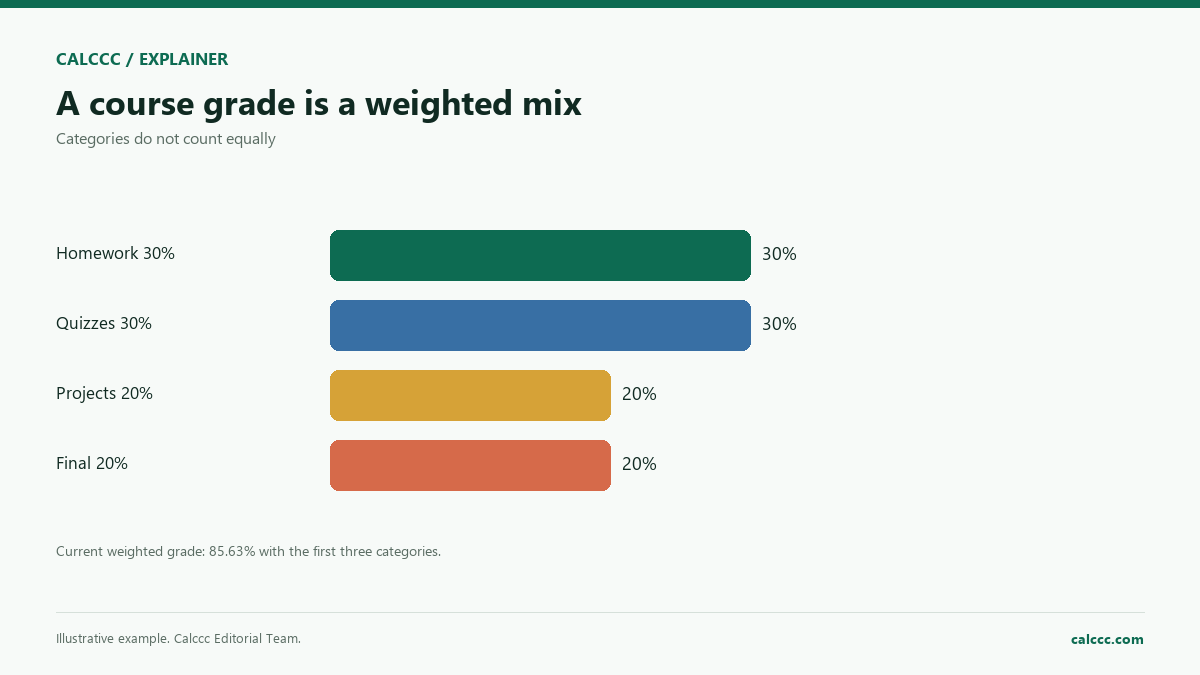
A course grade is usually a weighted average of categories: homework, quizzes, projects, and exams. Knowing the weights lets you calculate where you stand and what the final exam must be to reach a target.
How to use it
- Enter each category average and its weight.
- Enter the final exam weight.
- Enter the grade you want for the course.
- Review your current weighted grade and the final score needed.
How it works
Example calculations
Example: 90/30, 85/30, 80/20, final 20
The current weighted grade is 85.63%. To finish with 90%, the final would need 107.5%, which is not possible without extra credit.
A realistic target
If the desired grade is 87%, the final needed is 92.5%.
What the result means
Weights must be interpreted the way the school defines them. Some systems drop the lowest quiz or apply extra credit; this calculator does not. If the category weights and final weight do not sum to 100%, check the syllabus.
Common mistakes
- Using points instead of percentages.
- Forgetting that the final exam weight is separate.
- Ignoring dropped scores or extra credit.
- Assuming a score above 100% is possible.
Assumptions and limits
- Each category is a percentage average.
- Weights are percentages of the course grade.
- The final exam is one additional weighted item.
- No dropped scores or extra credit.
- The grade scale is not converted to a letter grade.
Frequently asked questions
What if my weights do not add to 100%?
Check the syllabus. Some courses use a different denominator or have extra categories. The calculator normalizes the categories you enter.
Can the final score needed be above 100%?
Yes, mathematically. That means the target cannot be reached with the final alone unless extra credit exists.
Does this calculate GPA?
No. It calculates one course grade. GPA also depends on credit hours and grade points.
Sources
2026 update
How to use the professional output
This page is not just a formula box. The result is designed to be checked, compared, and taken away.
- Professional worksheet. The result includes the inputs used, the method and scope, and a one-variable sensitivity check for finance calculators.
- A/B scenarios. Save two input sets in the browser and compare the primary, secondary, and breakdown figures side by side.
- Print / PDF and CSV. Print a branded worksheet, or export the year-by-year table when the calculator produces one.
The formulas and assumptions above still govern the number. The worksheet makes the estimate auditable; it does not make it a lender quote, tax return, or personalized advice.
Go deeper