What this calculator does
Splitting a bill is simple until tax and tip are calculated on different bases or the group wants a round number. This calculator shows each component so the math is transparent.
How to use it
- Enter the bill before tax.
- Enter the tax rate.
- Enter the tip rate and choose whether it applies before or after tax.
- Enter the number of people.
- Choose exact or rounded-up shares.
How it works
Example calculations
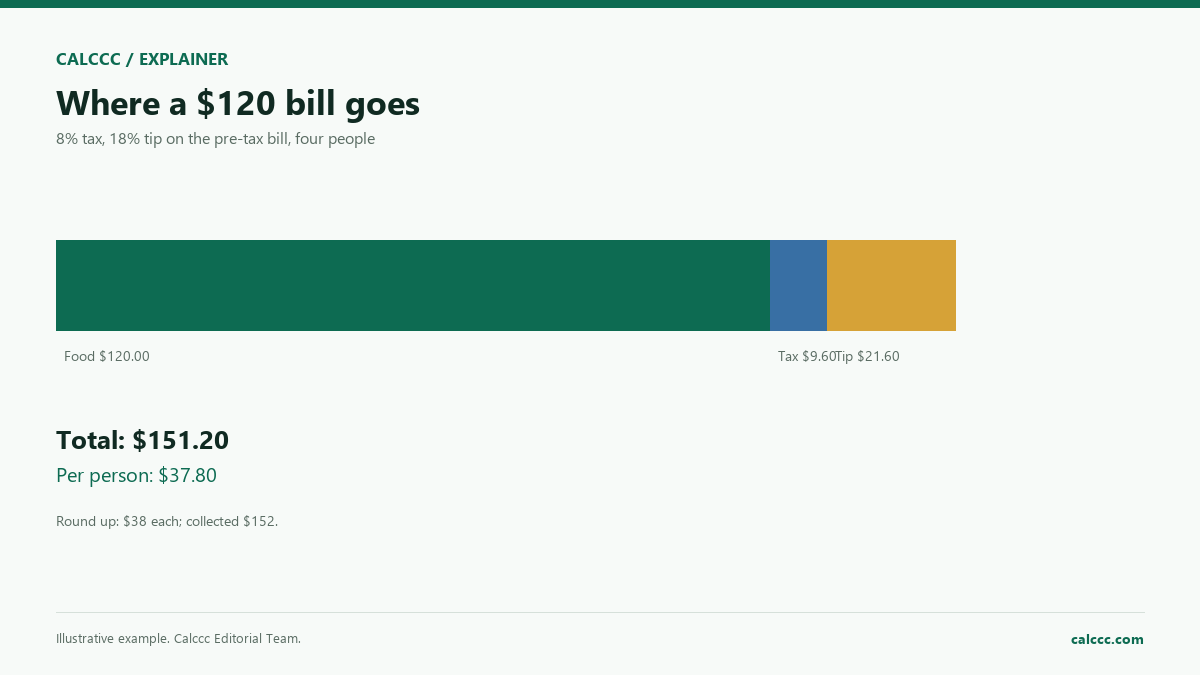
Example: $120 bill, 8% tax, 18% tip, 4 people
Tax is $9.60; tip on the pre-tax bill is $21.60; total is $151.20; each person pays $37.80.
Rounding up
Rounded to the next dollar, each person pays $38, and the collected total is $152.
What the result means
Tipping norms vary by country and service. In the U.S., 15–20% is common for table service, but the right amount is a social judgment. The calculator does not decide the tip; it only does the arithmetic.
Common mistakes
- Calculating the tip on the post-tax total when the group intended pre-tax.
- Forgetting to include tax in the total.
- Rounding down and leaving the bill short.
- Splitting unevenly without agreeing first.
Assumptions and limits
- The bill is the pre-tax amount.
- Tax and tip are percentages of the selected base.
- The split is equal.
- No service charge or discount is modeled.
- Currency is assumed to be the same for everyone.
Frequently asked questions
Should I tip on the pre-tax or post-tax amount?
Either is common. Tipping on the pre-tax bill is the traditional approach; tipping on the post-tax total gives a little more.
How do I split an uneven bill?
This calculator splits evenly. For uneven shares, assign each person's items and apply tax and tip proportionally.
What if the total does not divide evenly?
Round up per person and keep the small surplus for the group or the server.
Sources
2026 update
How to use the professional output
This page is not just a formula box. The result is designed to be checked, compared, and taken away.
- Professional worksheet. The result includes the inputs used, the method and scope, and a one-variable sensitivity check for finance calculators.
- A/B scenarios. Save two input sets in the browser and compare the primary, secondary, and breakdown figures side by side.
- Print / PDF and CSV. Print a branded worksheet, or export the year-by-year table when the calculator produces one.
The formulas and assumptions above still govern the number. The worksheet makes the estimate auditable; it does not make it a lender quote, tax return, or personalized advice.
Go deeper