What this calculator does
Overtime pay is not simply the hourly rate multiplied by every hour on the clock. It separates regular hours from overtime hours, then applies a premium to the overtime portion. This calculator makes that split visible so you can check a paycheck or compare a job offer. It is a planning tool: federal and state rules decide who is entitled to overtime, which hours count, and whether a different multiplier applies.
How to use it
- Enter the hourly rate used for regular pay.
- Enter regular hours, usually up to 40 in a workweek.
- Choose the overtime multiplier: 1.5x for time and a half, or 2x for double time.
- Enter overtime hours worked in the same workweek.
- Compare regular pay, overtime pay, total pay, and the blended hourly rate.
How it works
Example calculations
Example 1: 45 hours at $20
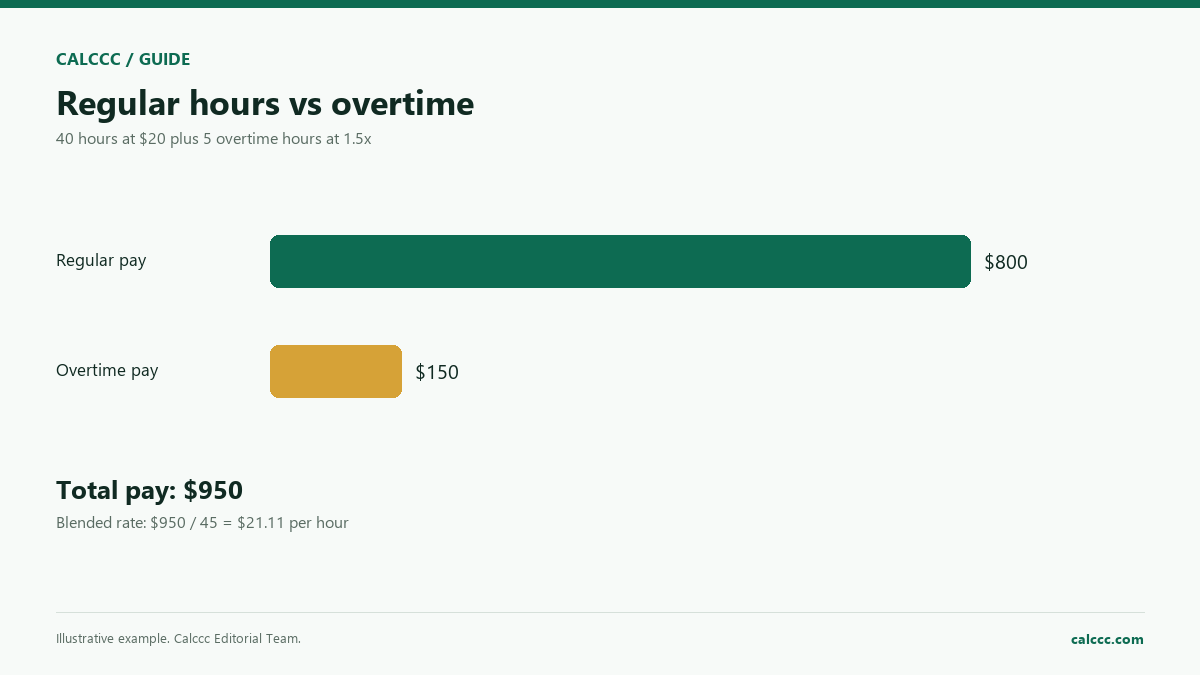
40 regular hours at $20 is $800. Five overtime hours at 1.5x is 5 x $20 x 1.5 = $150. Total pay is $950, and the blended rate across 45 hours is $21.11.
Example 2: double time
A 50-hour week at $18 with 10 overtime hours at 2x gives $720 regular pay plus $360 overtime pay, for $1,080 total.
Example 3: a salaried offer
A salary is not automatically overtime-exempt. The duties test and the salary threshold matter. Use the calculator only after confirming the classification.
What the result means
The overtime multiplier applies only to overtime hours in this model. If your pay includes a shift differential, production bonus, or commission, the regular rate may be higher than the base hourly rate. That higher regular rate flows into overtime. A blended rate is useful for comparing total weekly pay, but it is not the rate used to calculate overtime.
Common mistakes
- Paying overtime only on the base rate when bonuses should be included in the regular rate.
- Assuming every salaried employee is exempt from overtime.
- Mixing hours from two workweeks into one weekly total.
- Forgetting that some states use a daily overtime threshold in addition to a weekly one.
Assumptions and limits
- The entered rate is the regular rate for the workweek.
- Overtime is calculated on hours above the regular-hours entry.
- No bonuses, commissions, tips, or shift differentials are included.
- Federal rules are the default; state and local rules may be more generous.
- Taxes and deductions are not calculated.
Frequently asked questions
Is overtime always 1.5x?
For many covered employees, federal law sets 1.5 times the regular rate after 40 hours in a workweek. Some states require daily overtime, higher multipliers, or both. A union contract or employer policy may also provide more.
Does a salary mean no overtime?
No. Exemption depends on the duties test and the salary basis/threshold, not the label alone. Some salaried employees are entitled to overtime, and some hourly employees are exempt in specific cases.
What is the regular rate?
It is the hourly rate actually paid, including nondiscretionary bonuses, shift differentials, and some commissions, divided across the hours worked. It can be higher than the base wage.
Can overtime be comp time instead of pay?
Private-sector employers generally cannot substitute comp time for overtime pay for non-exempt employees. Public agencies have limited exceptions. Check the rules that apply to your employer.
Why is my blended rate lower than the overtime rate?
The blended rate averages regular and overtime pay across all hours. It will sit between the regular rate and the overtime rate, not at the overtime rate.
Sources
2026 update
How to use the professional output
This page is not just a formula box. The result is designed to be checked, compared, and taken away.
- Professional worksheet. The result includes the inputs used, the method and scope, and a one-variable sensitivity check for finance calculators.
- A/B scenarios. Save two input sets in the browser and compare the primary, secondary, and breakdown figures side by side.
- Print / PDF and CSV. Print a branded worksheet, or export the year-by-year table when the calculator produces one.
- Quote differences. The section below explains why a bank, lender, broker, or provider can quote a different number.
The formulas and assumptions above still govern the number. The worksheet makes the estimate auditable; it does not make it a lender quote, tax return, or personalized advice.
Before you use a quote
Why your bank, lender, or provider’s number may differ
This calculator gives you a transparent estimate. A bank, lender, broker, fund provider, or tax authority can quote a different number because its inputs, fees, underwriting, and timing are different.
What changes the quote
- Fees. Providers may charge fees that are not part of the headline rate.
- Eligibility. Credit, income, collateral, and provider rules change the offered terms.
- Taxes and insurance. These are often quoted separately and may not be included.
- Timing. Rates, prices, and eligibility rules can change after the quote.
How to compare offers
- Compare the APR and total cost, not only the monthly payment.
- Ask for a written quote or Loan Estimate with all fees itemized.
- Use the same loan amount, term, date, and assumptions for every offer.
- Check what is excluded: taxes, insurance, closing costs, maintenance, or provider fees.
- Keep an emergency reserve; the lowest payment is not always the safest choice.
Reference: CFPB Loan Estimate explainer.
Part of a decision center
Tax & Paycheck Center
See the companion tools, decision guides, and patterns that go with this calculator.
Go deeper