What this calculator does
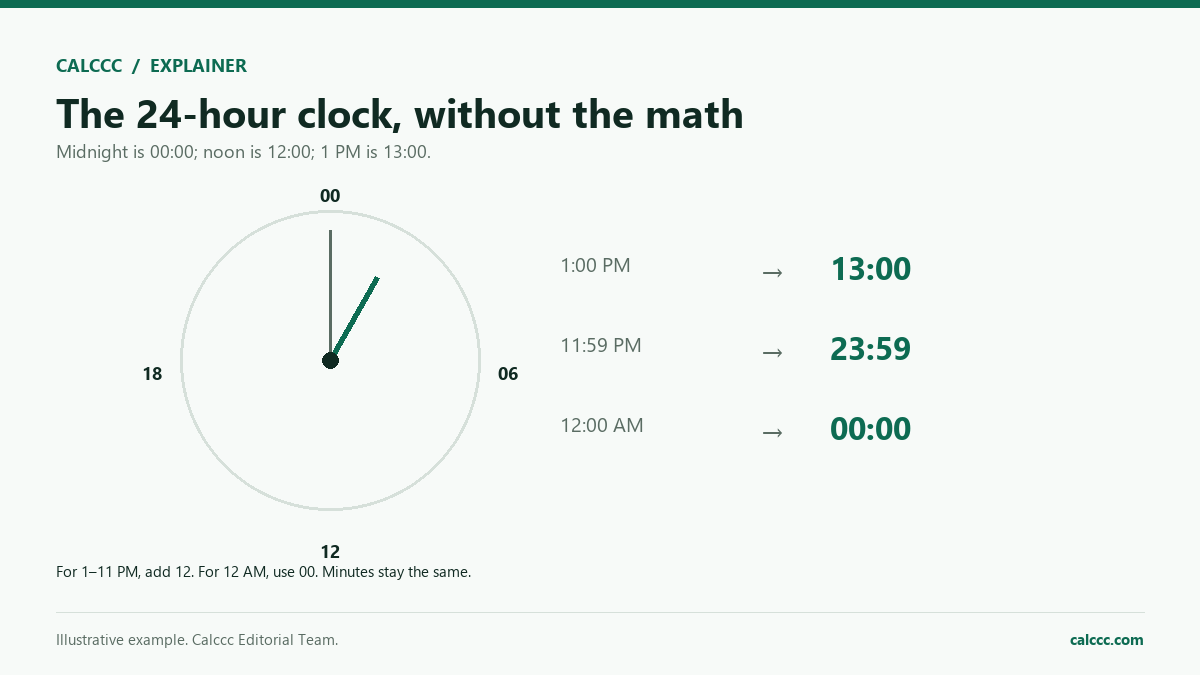
Military time, also called 24-hour time, runs from 00:00 at midnight to 23:59 just before the next midnight. It drops AM and PM entirely, which is why hospitals, airlines, transit systems, and the U.S. military rely on it. This converter takes any hour and minute in that range and shows the same moment three ways: the familiar 12-hour clock, the 24-hour clock with leading zeros, and the count of minutes since midnight. That last figure is handy for adding or subtracting durations.
How to use it
- Enter the hour using a number from 0 to 23.
- Enter the minute using a number from 0 to 59.
- Read the 12-hour result with its AM or PM label.
- Check the 24-hour result, which keeps leading zeros.
- Use minutes since midnight when you need to add or subtract time.
How it works
Example calculations
Example 1: mid-afternoon
14:30 converts to 2:30 PM. The 24-hour form stays 14:30, and the time is 870 minutes after midnight, since 14 times 60 is 840 and 840 plus 30 is 870.
Example 2: just after midnight
00:05 is five minutes past midnight. On the 12-hour clock it reads 12:05 AM, and the 24-hour form keeps both leading zeros as 00:05. The minutes-since-midnight figure is simply 5.
Example 3: noon
12:00 is noon, not midnight. It is written 12:00 PM on the 12-hour clock and 12:00 on the 24-hour clock, which is 720 minutes after midnight. The same display at 00:00 means the start of the day.
What the result means
Midnight and noon are the two places where 12-hour time trips people up. The day begins at 12:00 AM, which is 00:00 on a 24-hour clock, and noon is 12:00 PM, which is 12:00 on a 24-hour clock. So the hour after 11:59 AM is 12:00 PM, and the hour after 11:59 PM is 12:00 AM of the next day. Some services write 2400 for the midnight that ends a day, but this converter uses 00:00, the start of the new day. Spoken military time often runs the digits together, as in fourteen thirty for 14:30, while written forms may drop the colon and use four digits such as 1430.
Common mistakes
- Calling 12:00 AM noon when it is actually midnight.
- Writing 24:00 for the end of a day instead of 00:00 at the start of the next one.
- Dropping leading zeros, so 00:05 turns into 0:5 and 09:00 into 9:0.
- Subtracting 12 from hours below 13 and getting a zero or negative hour.
- Reading 13:00 as 1:00 AM when it is 1:00 PM.
Assumptions and limits
- The input is a time of day on a 24-hour clock, not a duration.
- Hours run from 0 to 23 and minutes from 0 to 59, with no seconds or fractions.
- The 12-hour output uses uppercase AM and PM.
- No date, time zone, or daylight saving conversion is applied.
- Midnight is written 00:00 and belongs to the start of the day.
Frequently asked questions
Is 12:00 AM midnight or noon?
Midnight. Noon is 12:00 PM. On a 24-hour clock, midnight is 00:00 and noon is 12:00, which is why the two are easy to mix up.
What is 2400 hours?
Some schedules and transit systems use 2400 for midnight at the end of a day. This converter uses 00:00 instead, which is the start of the following day and avoids ambiguity.
Does military time need a colon?
The U.S. military commonly writes four digits with no colon, such as 1430, and says fourteen thirty. A colon is also accepted and is easier to read in ordinary writing.
How do I convert 12-hour time back to 24-hour time?
For PM hours, add 12 except when the hour is 12, which stays 12. For AM hours, keep the number except when it is 12, which becomes 00. Then write both the hour and minute with two digits.
Why is minutes since midnight useful?
It turns a clock time into a plain number. Subtracting a start time from an end time then gives a duration directly, even when the span crosses noon or midnight.
Does this converter handle seconds or time zones?
No. It converts hours and minutes only. It does not add seconds, shift between time zones, or adjust for daylight saving time.
Sources
2026 update
How to use the professional output
This page is not just a formula box. The result is designed to be checked, compared, and taken away.
- Professional worksheet. The result includes the inputs used, the method and scope, and a one-variable sensitivity check for finance calculators.
- A/B scenarios. Save two input sets in the browser and compare the primary, secondary, and breakdown figures side by side.
- Print / PDF and CSV. Print a branded worksheet, or export the year-by-year table when the calculator produces one.
The formulas and assumptions above still govern the number. The worksheet makes the estimate auditable; it does not make it a lender quote, tax return, or personalized advice.
Go deeper