What this calculator does
A raise changes more than the annual salary line. It changes each paycheck, the hourly equivalent, and the amount available for savings or debt payments. This calculator keeps the comparison gross and transparent so you can see the size of the change before taxes and deductions.
How to use it
- Enter current annual gross salary.
- Choose a percentage raise or a dollar amount.
- Review the new salary and the per-paycheck increase.
- Compare the increase with inflation and your budget goals.
How it works
Example calculations
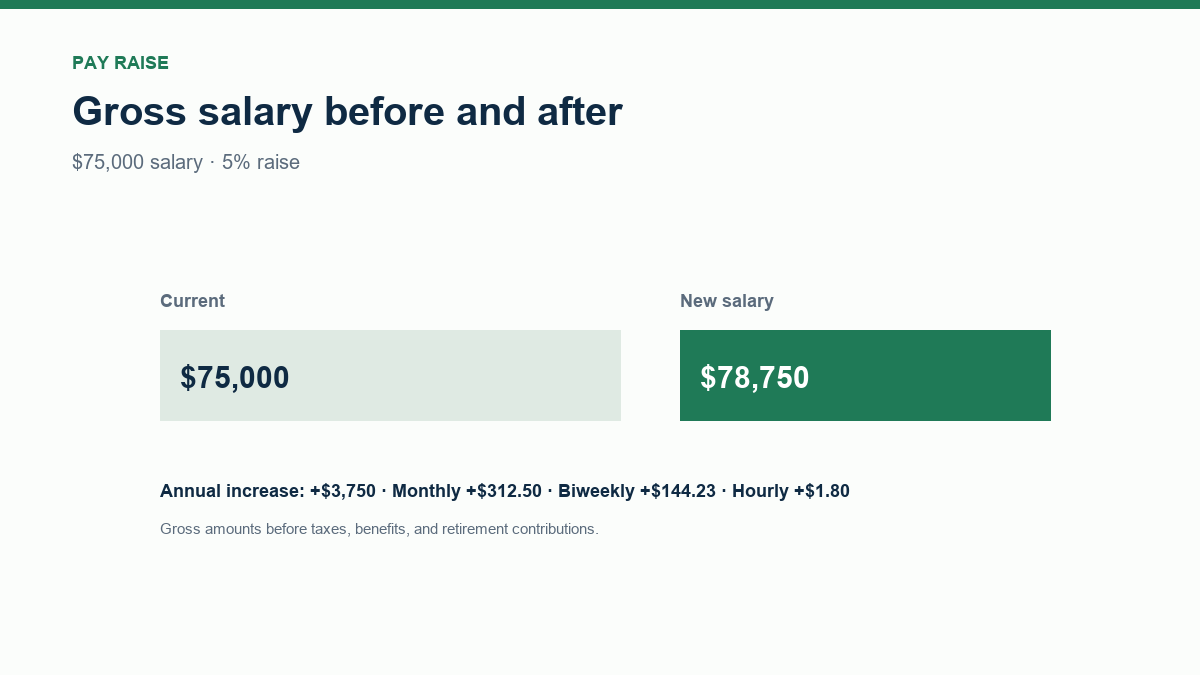
Example: $75,000 salary, 5% raise
The raise is $3,750, so the new salary is $78,750. That is about $312.50 per month, $144.23 per biweekly paycheck, and $1.80 per hour on a 2,080-hour basis.
Dollar raise
A $4,000 annual raise on a $75,000 salary is 5.33%. The dollar amount is fixed even if the salary changes later.
What the result means
A raise can be below inflation in real terms. Compare the percentage with the change in your expenses, not just the dollar amount. Check whether the raise affects overtime, bonuses, retirement matching, or benefit eligibility.
Common mistakes
- Comparing gross raise with net take-home pay without accounting for taxes.
- Forgetting that biweekly pay has 26 periods, not 24.
- Assuming a raise automatically improves cash flow without checking deductions.
- Ignoring inflation when judging purchasing power.
Assumptions and limits
- Salary is gross annual pay.
- The hourly equivalent uses 2,080 hours per year.
- Taxes, benefits, and retirement contributions are excluded.
- The raise applies for a full year.
Frequently asked questions
How do I calculate a percentage raise?
Multiply current salary by the raise percentage, then add the result to the salary. For example, 5% of $75,000 is $3,750.
How much is a $2 raise per hour annually?
At 40 hours per week and 52 weeks, $2 per hour is $4,160 per year before taxes.
Why are biweekly and semi-monthly different?
Biweekly pay has 26 pay periods; semi-monthly pay has 24. The annual amount is the same, but the per-paycheck amount differs.
Does this include taxes?
No. The calculator shows gross pay. Use a paycheck calculator for estimated net pay.
Sources
2026 update
How to use the professional output
This page is not just a formula box. The result is designed to be checked, compared, and taken away.
- Professional worksheet. The result includes the inputs used, the method and scope, and a one-variable sensitivity check for finance calculators.
- A/B scenarios. Save two input sets in the browser and compare the primary, secondary, and breakdown figures side by side.
- Print / PDF and CSV. Print a branded worksheet, or export the year-by-year table when the calculator produces one.
- Quote differences. The section below explains why a bank, lender, broker, or provider can quote a different number.
The formulas and assumptions above still govern the number. The worksheet makes the estimate auditable; it does not make it a lender quote, tax return, or personalized advice.
Before you use a quote
Why your bank, lender, or provider’s number may differ
This calculator gives you a transparent estimate. A bank, lender, broker, fund provider, or tax authority can quote a different number because its inputs, fees, underwriting, and timing are different.
What changes the quote
- Fees. Providers may charge fees that are not part of the headline rate.
- Eligibility. Credit, income, collateral, and provider rules change the offered terms.
- Taxes and insurance. These are often quoted separately and may not be included.
- Timing. Rates, prices, and eligibility rules can change after the quote.
How to compare offers
- Compare the APR and total cost, not only the monthly payment.
- Ask for a written quote or Loan Estimate with all fees itemized.
- Use the same loan amount, term, date, and assumptions for every offer.
- Check what is excluded: taxes, insurance, closing costs, maintenance, or provider fees.
- Keep an emergency reserve; the lowest payment is not always the safest choice.
Reference: CFPB Loan Estimate explainer.
Part of a decision center
Tax & Paycheck Center
See the companion tools, decision guides, and patterns that go with this calculator.
Go deeper