What this calculator does
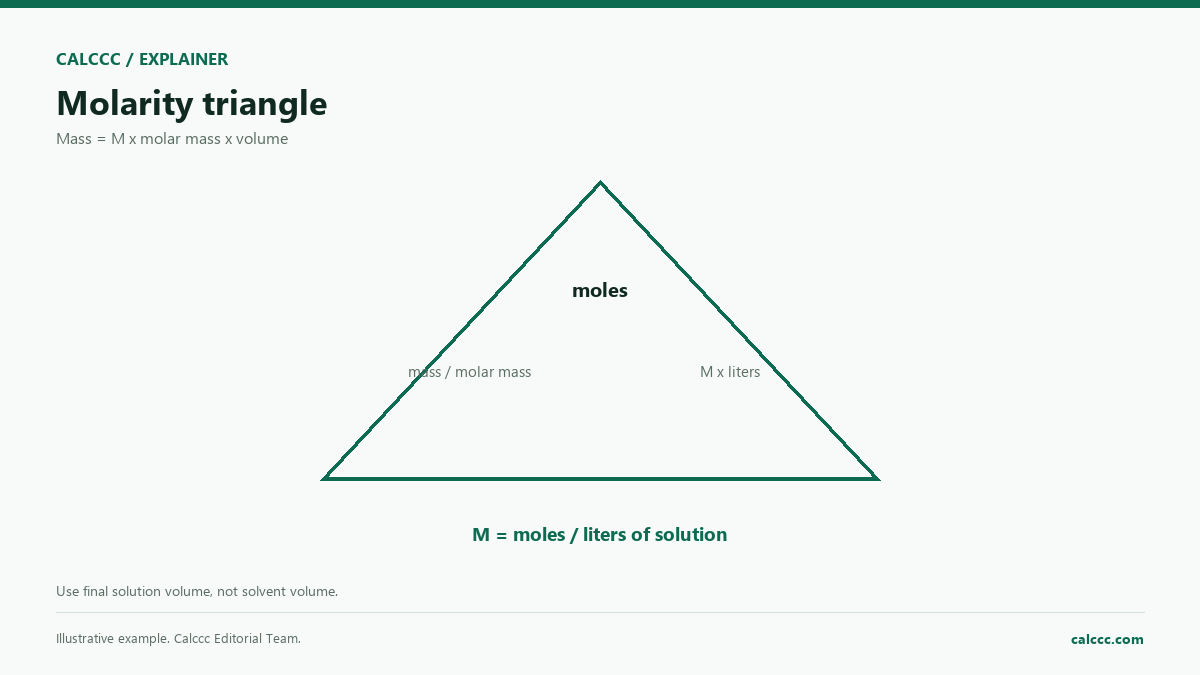
Molarity is the number of moles of solute per liter of solution. It is one of the most common concentration units in chemistry. This calculator solves the concentration equation in either direction, so you can find the missing mass or volume.
How to use it
- Choose whether to solve for molarity, mass, or volume.
- Enter the known values.
- Enter the molar mass of the substance.
- Review the result and the moles of solute.
How it works
Example calculations
Example: 5 g of NaCl in 250 mL
Molar mass 58.44 g/mol. Moles = 5 / 58.44 = 0.08556 mol. Volume = 0.250 L. Molarity = 0.3422 mol/L.
Finding mass
For 0.5 M solution and 0.5 L, mass = 0.5 x 58.44 x 0.5 = 14.61 g.
What the result means
The volume must be the final solution volume, not the volume of solvent added. For dilutions, use C1V1 = C2V2. Molarity changes with temperature because solution volume expands or contracts; molality is temperature-independent.
Common mistakes
- Using solvent volume instead of final solution volume.
- Forgetting to convert mL to L.
- Mixing molarity with molality.
- Using the wrong molar mass for a hydrate.
Assumptions and limits
- The volume is the final solution volume.
- Molar mass is in g/mol.
- The solute is fully dissolved.
- Temperature is assumed constant.
- No dilution or reaction is modeled.
Frequently asked questions
What is the difference between molarity and molality?
Molarity is moles per liter of solution; molality is moles per kilogram of solvent. Molality does not change with temperature.
Do I use the volume of water or the final volume?
Use the final volume of the solution after the solute is dissolved and the flask is topped up.
How do I make a dilution?
Use C1V1 = C2V2, where C is concentration and V is volume. Add solvent to reach the final volume.
Sources
2026 update
How to use the professional output
This page is not just a formula box. The result is designed to be checked, compared, and taken away.
- Professional worksheet. The result includes the inputs used, the method and scope, and a one-variable sensitivity check for finance calculators.
- A/B scenarios. Save two input sets in the browser and compare the primary, secondary, and breakdown figures side by side.
- Print / PDF and CSV. Print a branded worksheet, or export the year-by-year table when the calculator produces one.
The formulas and assumptions above still govern the number. The worksheet makes the estimate auditable; it does not make it a lender quote, tax return, or personalized advice.
Go deeper