What this calculator does
Fractions are exact, but the arithmetic can get messy. This calculator adds, subtracts, multiplies, and divides two fractions and reduces the result to lowest terms. It also converts the answer to a mixed number and a decimal, which helps when a fraction needs to fit a ruler, a recipe, or a spreadsheet. The steps are explained in plain language, so the tool is useful for checking work as well as getting the answer.
How to use it
- Enter the numerator and denominator of the first fraction.
- Choose the operator: plus, minus, times, or divided by.
- Enter the numerator and denominator of the second fraction.
- Review the simplified fraction, mixed number, and decimal.
- Use the steps to check your own work.
How it works
Example calculations
Example 1: adding fractions
1/2 + 1/3 has a common denominator of 6, so it becomes 3/6 + 2/6 = 5/6. The fraction is already simplified, the mixed number is 5/6 because it is less than 1, and the decimal is about 0.833.
Example 2: subtracting fractions
3/4 - 1/6 has a common denominator of 12, so it becomes 9/12 - 2/12 = 7/12. The decimal is about 0.583. The answer is less than 1, so the mixed number is the same as the fraction.
Example 3: dividing fractions
3/4 divided by 2/3 becomes 3/4 x 3/2 = 9/8. As a mixed number that is 1 1/8, and as a decimal it is 1.125. Dividing by a fraction less than 1 makes the answer larger, which is a useful check.
What the result means
A simplified fraction is exact, while a decimal is often rounded. For measurements, the fraction may be more useful because rulers and tools are marked in halves, quarters, and eighths. For a spreadsheet or a price, the decimal may be easier to use. An improper fraction such as 9/8 is not wrong; the mixed number 1 1/8 is just another way to write it. If the result is negative, the negative sign applies to the whole value. When a fraction comes from a real measurement, remember that the original measurement has its own precision, so a decimal with many digits can suggest more accuracy than you really have.
Common mistakes
- Adding the denominators instead of finding a common denominator.
- Forgetting to simplify the answer to lowest terms.
- Flipping the first fraction instead of the second when dividing.
- Entering a mixed number as two separate numbers without converting it to an improper fraction.
- Losing a negative sign when subtracting a larger fraction from a smaller one.
Assumptions and limits
- Both denominators are nonzero.
- Inputs are whole-number numerators and denominators, including negative numerators.
- The simplified fraction is reduced to lowest terms.
- The decimal is rounded for display, while the fraction stays exact.
- Mixed numbers are shown only when the result is greater than 1 or less than -1.
Frequently asked questions
How do I add fractions with different denominators?
Rewrite both fractions with a common denominator, then add the numerators. The calculator uses a common denominator, then simplifies the result; the answer is the same as using the least common multiple.
What does simplest form mean?
A fraction is in simplest form when the numerator and denominator have no common factor other than 1. For example, 6/8 simplifies to 3/4 because both parts divide by 2.
How do I convert a mixed number to a fraction?
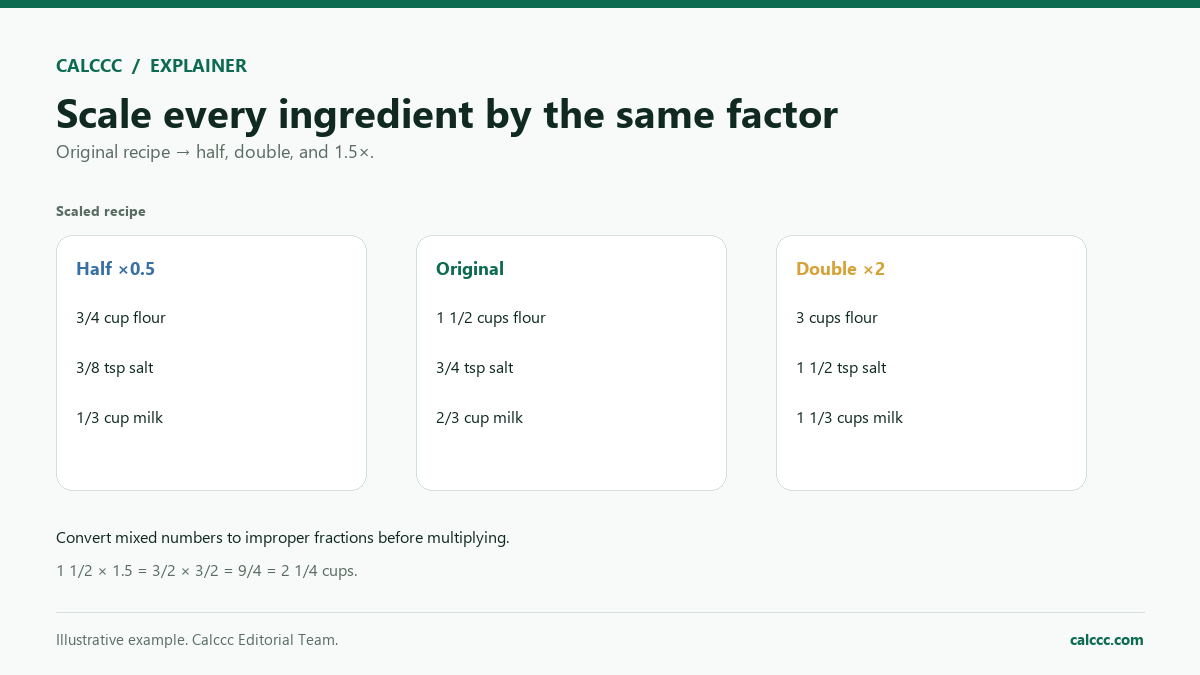
Multiply the whole number by the denominator, add the numerator, and put the result over the denominator. For 1 1/8, multiply 1 by 8, add 1, and get 9/8.
Why do you flip the second fraction when dividing?
Dividing by a fraction is the same as multiplying by its reciprocal. So 3/4 divided by 2/3 equals 3/4 times 3/2. The rule works because division and multiplication are inverse operations.
Can the answer be negative?
Yes. If you subtract a larger fraction from a smaller one, or enter a negative numerator, the result is negative. The calculator keeps the sign with the fraction and shows it in the decimal.
How precise is the decimal answer?
The fraction is exact, but the decimal is rounded, usually to a few places. If you need an exact decimal, check whether the denominator has only 2 and 5 as prime factors, which produces a terminating decimal.
Sources
2026 update
How to use the professional output
This page is not just a formula box. The result is designed to be checked, compared, and taken away.
- Professional worksheet. The result includes the inputs used, the method and scope, and a one-variable sensitivity check for finance calculators.
- A/B scenarios. Save two input sets in the browser and compare the primary, secondary, and breakdown figures side by side.
- Print / PDF and CSV. Print a branded worksheet, or export the year-by-year table when the calculator produces one.
The formulas and assumptions above still govern the number. The worksheet makes the estimate auditable; it does not make it a lender quote, tax return, or personalized advice.
Part of a decision center
Math Decision Center
See the companion tools, decision guides, and patterns that go with this calculator.
Go deeper